
Stock Alerts That Matter: Cutting Noise From Signal
If you've ever set a price alert on a stock, you know the drill. The stock hits your number, your phone buzzes, and then... nothing. No context, no reason it moved, no indication of whether it's actually time to act. You silence the notification and go back to what you were doing. Multiply that by every ticker on your watchlist, and price alerts stop being useful. They just become noise.
The problem isn't that alerts are a bad idea. It's that most stock alerts are built around the wrong trigger. A price crossing an arbitrary threshold tells you nothing about why it matters. What you actually want to know is when something fundamental has changed — when a business becomes cheap relative to its quality, when its quality trend shifts, or when a track record breaks. Those are decisions worth making. A price tick usually isn't.
The Problem with Generic Price Alerts
Traditional stock alerts are built for traders watching charts, not investors trying to make good decisions. They fire on price and volume, which means they're reactive by design — the move has already happened by the time you see it, and you're left guessing whether it's noise or the start of something real.
The result is alert fatigue. You either get buried in pings that don't matter, or you tune them out entirely and miss the one that would've mattered. Either way, the alert has failed at its one job: helping you make a better, faster decision.
What Signal-Based Stock Alerts Look Like
Compounder's Custom Alerts are built around a different idea: alert on change in the underlying business or opportunity, not just change in price. You can create and manage these in the Alerts section, and there are five alert types to choose from — each tied to a specific, meaningful shift in a stock's setup.
Fat Pitch
A Fat Pitch alert fires when a stock on your watchlist combines high quality with an attractive valuation at the same time. That combination — a good business trading at a good price — doesn't come around constantly, and it's easy to miss if you're not actively screening for it. Instead of checking every name on your list manually, the alert tells you the moment the setup lines up.
Score Regime Change
Quality isn't static. A company's fundamentals can improve or deteriorate over time, and a Score Regime Change alert fires the moment a stock's quality tier shifts. This matters because a stock that's re-rating higher (or lower) in quality is telling you something about its durability and competitive position — often before the price fully reflects it.
Quality Streak Break
Some companies build long streaks of consistent profitability. A Quality Streak Break alert fires when that streak ends. For investors who lean on consistency and track record as part of their thesis, this is one of the more important signals available — it flags exactly when the story you bought into starts to change.
Legend 13F
Institutional investors with strong long-term track records file 13Fs that reveal their holdings. A Legend 13F alert fires when one of the investment legends you're tracking files new holdings, so you find out about a position change without manually checking filings on a schedule.
Together, these alert types share one thing in common: each is tied to a real shift in the underlying investment case, not a price wiggle. That's the core difference between generic stock alerts and signal-based ones — you're being notified about decisions, not noise.
Building a Watchlist Worth Alerting On
Signal-based alerts are only as good as the watchlist behind them. If you're tracking too many low-conviction names, you'll still get pinged for things you don't care about — just with better labels.
This is where Quick Follow helps. Anywhere in the app you see a + Follow button — on a stock card, a sector card, or a theme card — you can click it to add that item to your Following list immediately. You don't have to navigate to the Following page first, dig through a search, or interrupt your research flow. See something interesting while browsing a sector or theme page, follow it on the spot, and your alerts start covering it automatically.
The practical effect is that your watchlist stays current with what you're actually paying attention to right now, not a static list you built six months ago and forgot to prune.
Where Your Alerts Live: The Inbox
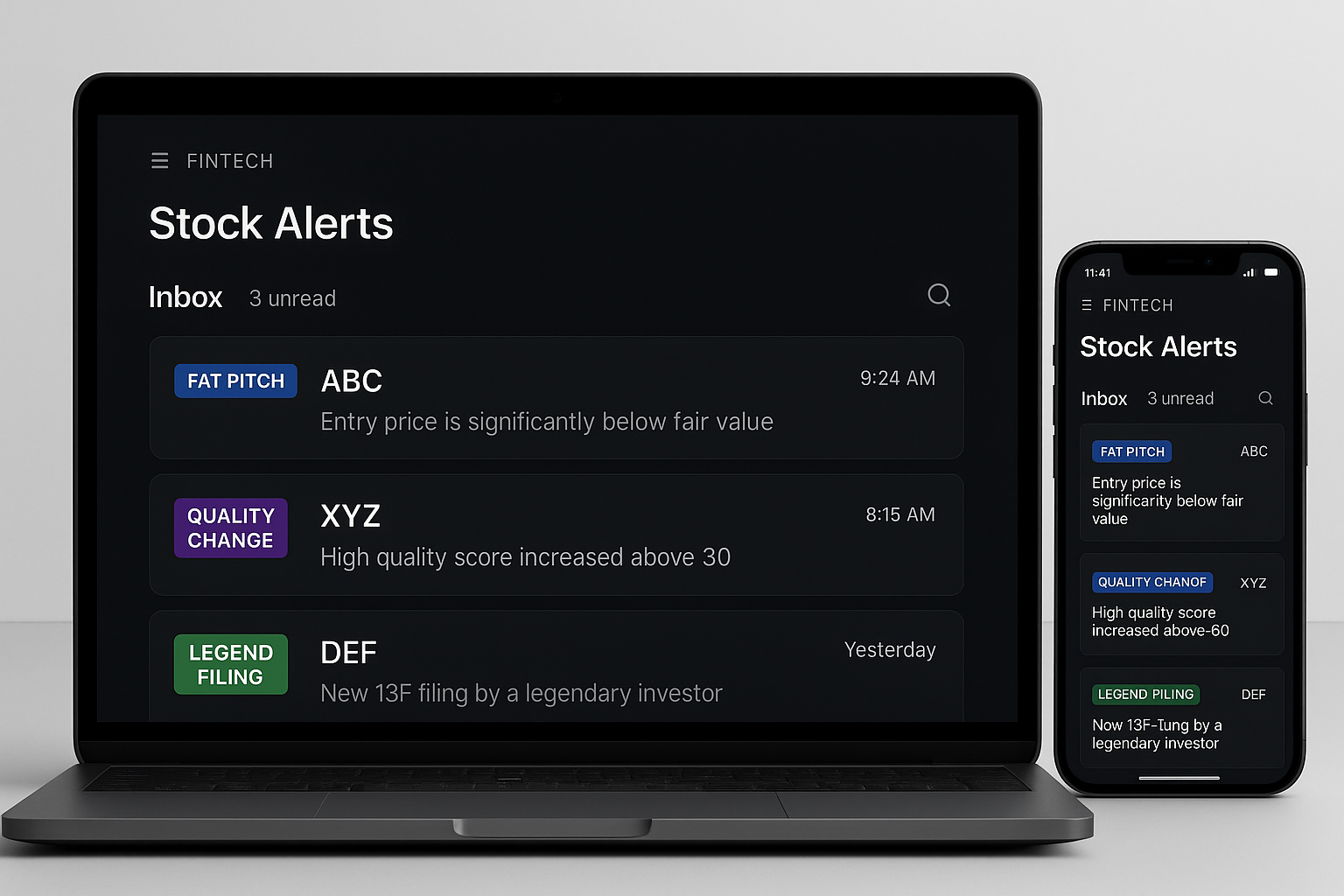
Once alerts start firing, they need a home that's easy to manage — otherwise you're back to noise, just in a different format. Compounder's Inbox tab collects every alert sent to you based on your configured rules, in one place.
From the Inbox, you can:
- Filter by Unread or All — see only new signals, or review your complete alert history.
- Mark individual alerts as read, or use Mark all read to clear everything at once.
- Archive alerts you're done with, keeping your inbox focused on what's current.
Each alert in the Inbox shows its signal type — Fat Pitch, Score Regime Change, Quality Streak Break, or Legend 13F — so you know at a glance what triggered it and why, without having to click in to figure out what happened.
Putting It Together
A useful alert system isn't about getting more notifications — it's about getting fewer notifications that actually matter. That means:
- Follow deliberately. Use Quick Follow to keep your watchlist aligned with what you're genuinely tracking, not everything you've ever glanced at.
- Alert on change, not price. Set up Fat Pitch, Score Regime Change, Quality Streak Break, and Legend 13F alerts so you're notified when the investment case shifts, not when a chart line gets crossed.
- Manage your Inbox like a queue, not a firehose. Filter for unread, mark things read as you process them, and archive what's done.
That's the difference between stock alerts that create noise and stock alerts that create decisions. The goal was never to know about every move a stock makes — it's to know about the moves that are actually worth acting on.